 PilotSeniorityPilotSeniority
Every trip lands in one of five bands, colored green (very likely) to red (out of reach). Remember, a lower percentile is more senior, so the more senior you are relative to a trip’s cutoff, the greener it reads. The color is sampled to your exact spot, so a trip right on a boundary shows a shade in between.
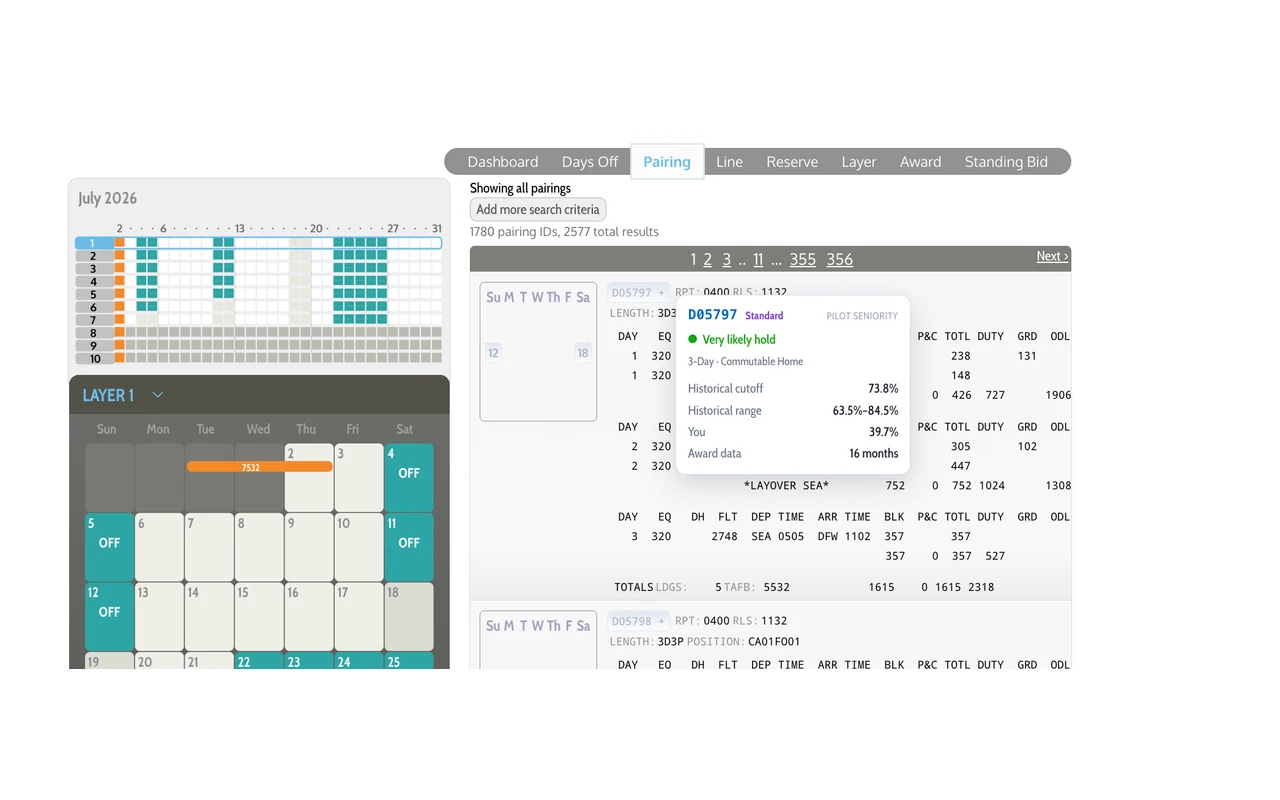
Beneath the verdict you will see the historical cutoff (where the last trip of its type went, seniority-wise). The main number to look at is its median of real monthly awards. That is the “average” seniority where that type of trip completely comes off the board and is no longer available to anyone junior. You will also see the range those cutoffs have spanned (for example, one month that type of trip may have been off the board at 35%, another month it may have gone at 45%), your percentile, how many months of award data stand behind it, and the trip’s tier and defining characteristics. Wide ranges get a heads-up, since some trip types genuinely swing month to month.
By default the card uses your 3XP seniority-list position within your bid status. Month to month, your standing may differ due to leaves, TDYs in or out, or other non-bidders. Click the extension icon and enter your seniority for the bid month, pulled directly from the PBS Dashboard. This gives the program the best chance of showing you accurate predictions. Note: these numbers also match the PBS Override in Visual Bidpack, which colors the trips and surfaces the same numbers there.
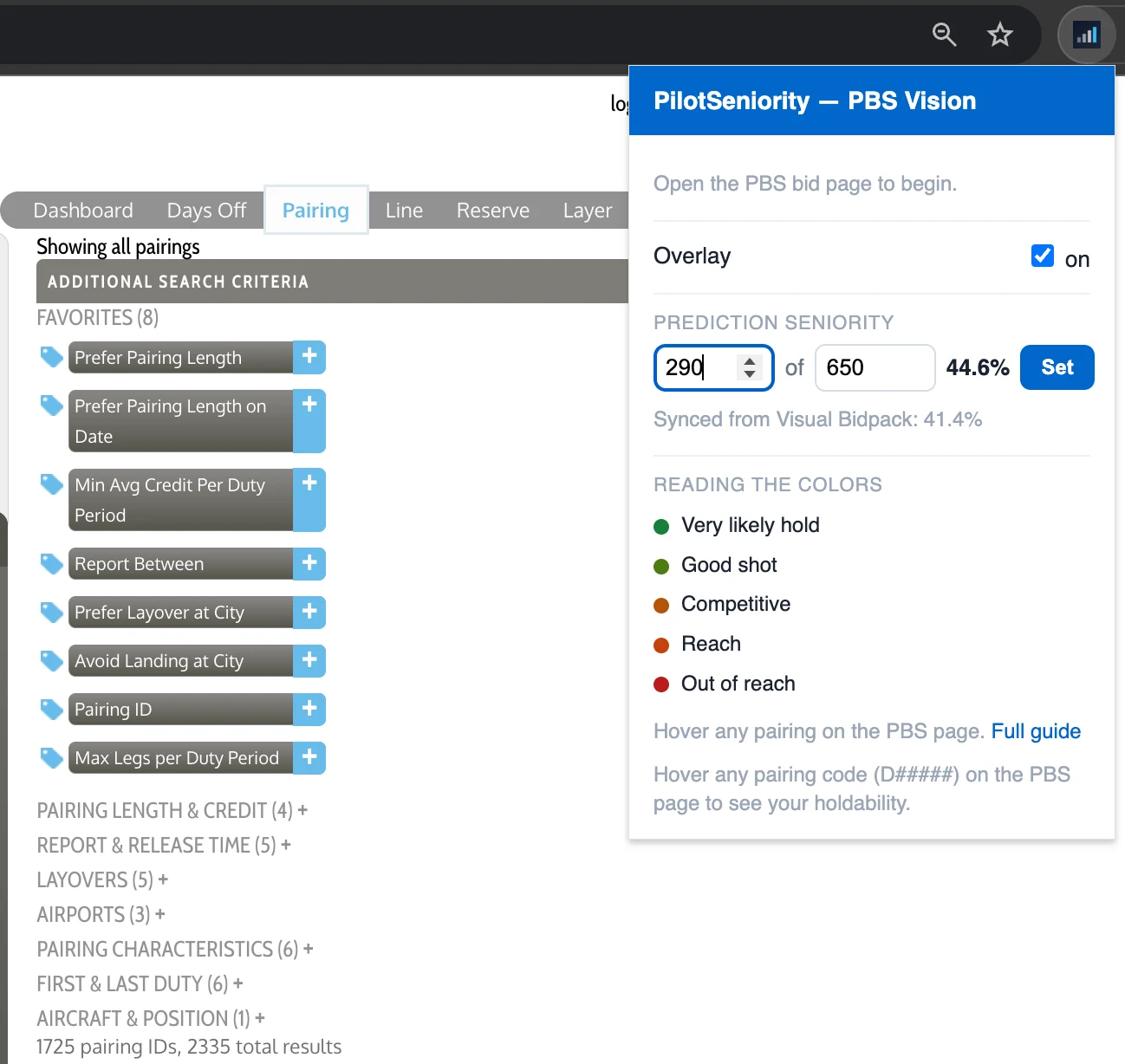
If you build a bid list in Visual Bidpack, the extension can enter those sequences into your PBS ballot for you. It enters sequences only — days off, properties, and everything else stay yours to set in PBS. Here is the flow:
It works inside your own signed-in PBS session and never sees or stores your company password.
PBS Vision reads the pairing codes already shown on your bid page and shows your holdability. Optionally, it also lets you enter your targeted sequences from the Visual Bidpack — and never anything beyond the individual sequences you confirm.
It deals in odds, not guarantees. “Good shot” means the numbers lean your way, not that it is in the bag. Bidding always carries some uncertainty — but you're deciding with real award history instead of a guess.
The card tells you what it needs. If it says “Sign in at pilotseniority.com,” open the site, sign in with your Pro account, then hard-refresh both that tab and your PBS tab and hover again.
If it says “No data yet,” that is a rare case where we could not match that specific trip. Most trips still show normally, so email feedback@pilotseniority.com if it sticks.