PilotSeniority Pro
Visual Bidpack
The whole bidpack, mapped to your seniority.
A clear, scannable layout that predicts what you can hold before you bid.
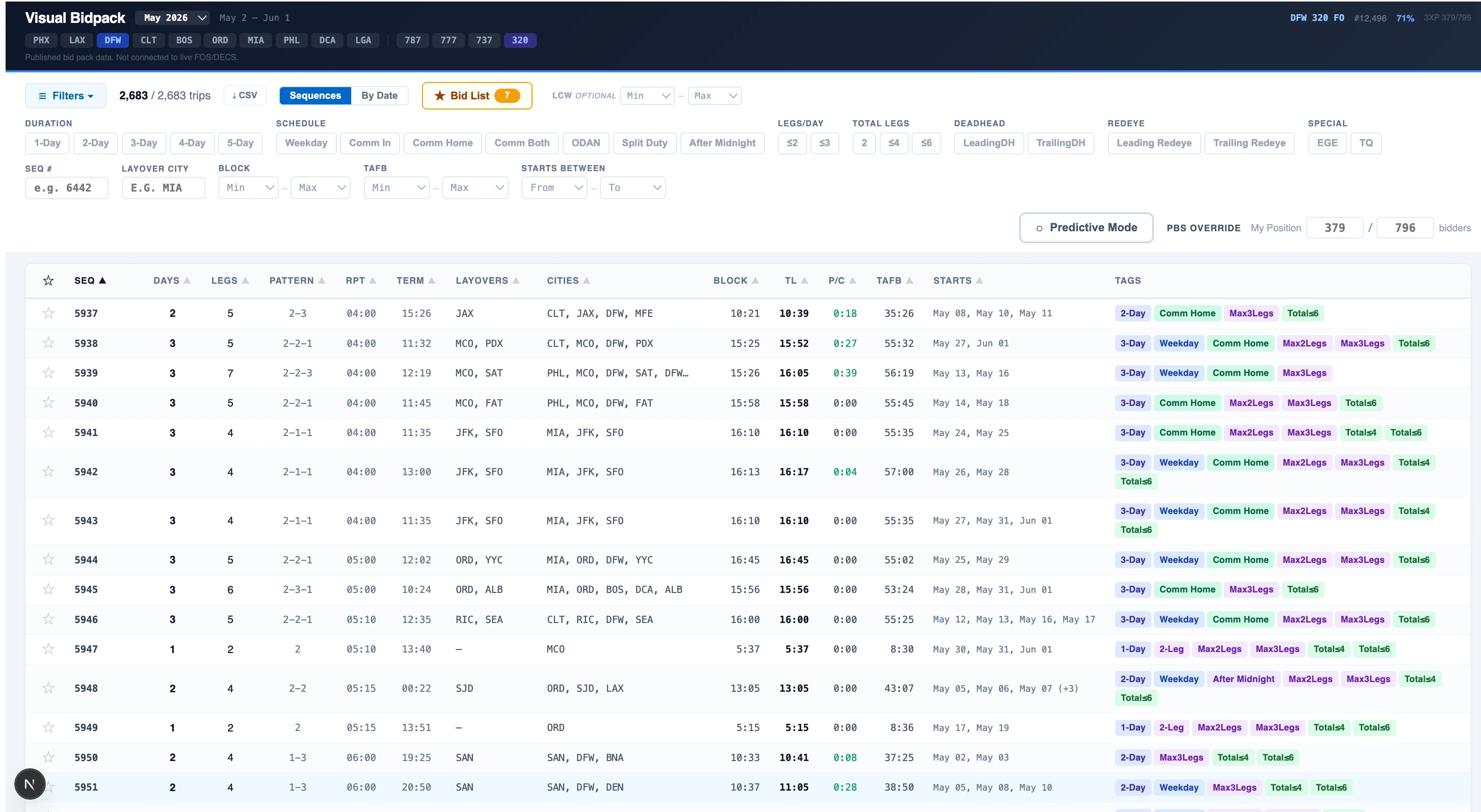
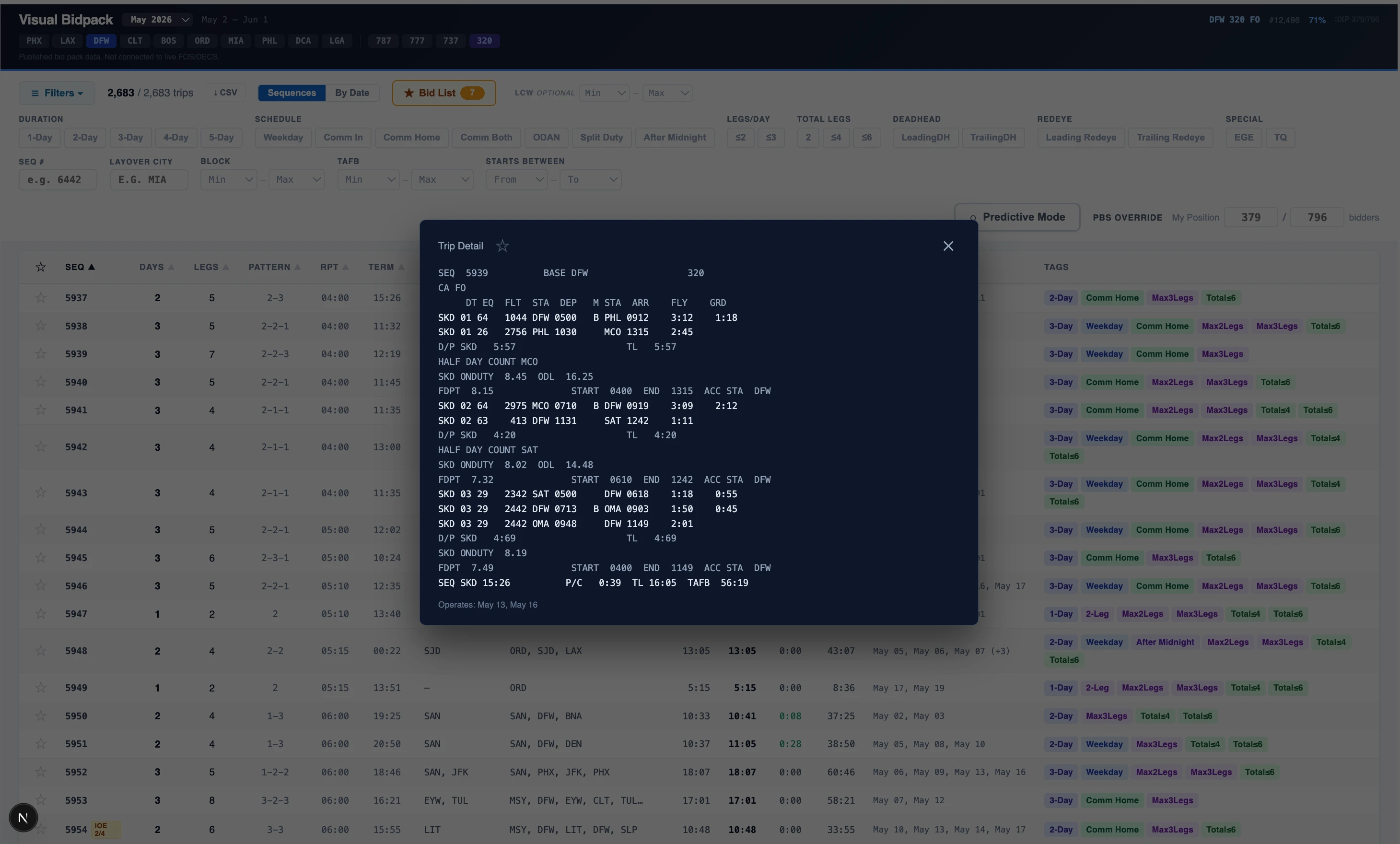
Every trip in your bidpack, sortable and filterable by duration, trip-type, cities, pay, commutability, and more.
Every trip in your bidpack, sortable and filterable by duration, trip-type, cities, pay, commutability, and more.
Trips are displayed and sortable in endless scroll, with a collapsible filter menu for ease of viewing.
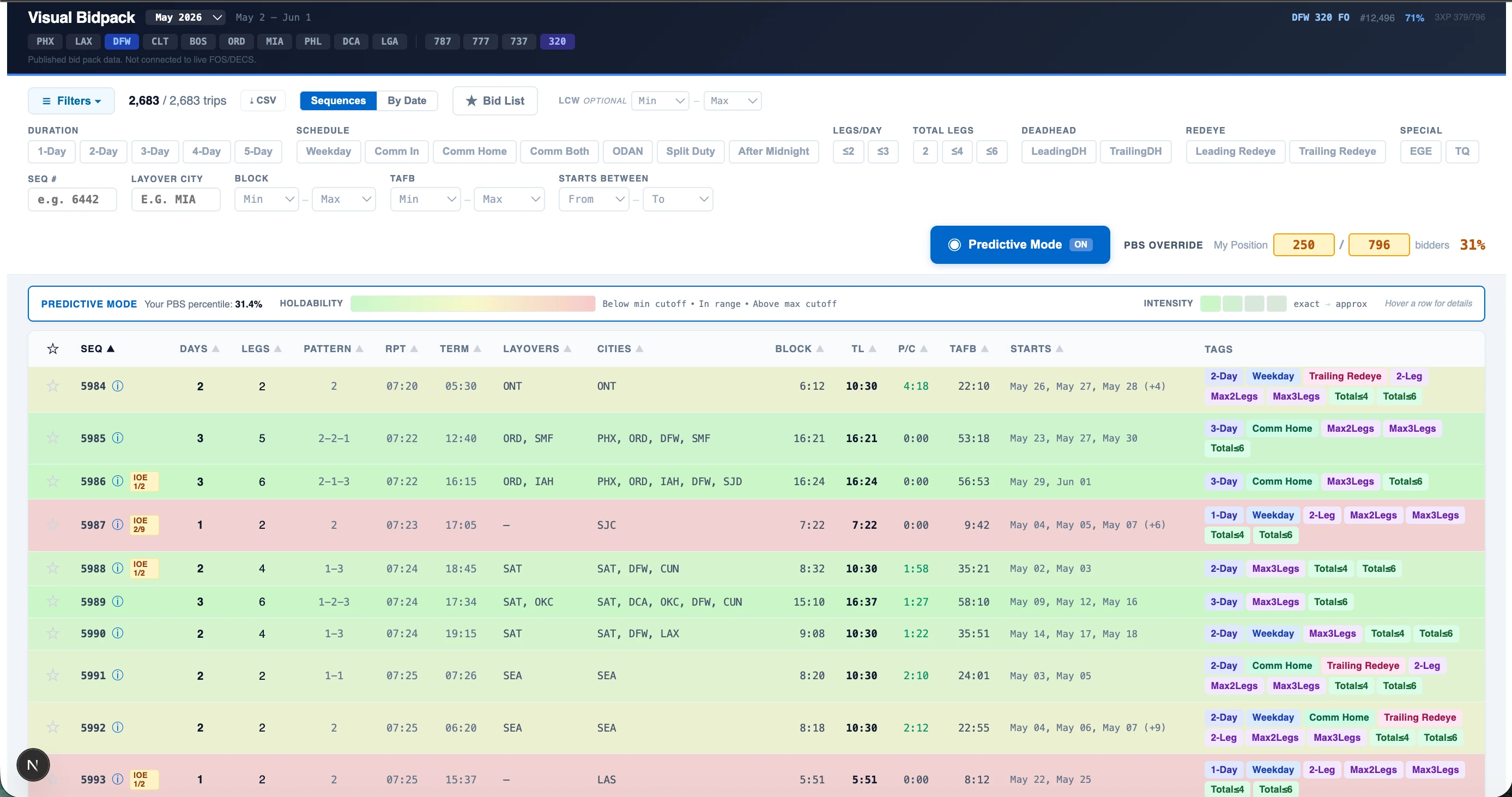
Predictive mode color-codes each trip against your seniority position. Green for what you reliably hold, red for what's out of reach, yellow for the boundary trips that go either way — so you see your real odds on every trip before you bid.
Predictive mode color-codes each trip against your seniority position. Green for what you reliably hold, red for what's out of reach, yellow for the boundary trips that go either way — so you see your real odds on every trip before you bid.
Predicts a trip is in reach when it isn't less than 2% of the time — and when it's wrong, it's wrong by being too careful, never too bold.
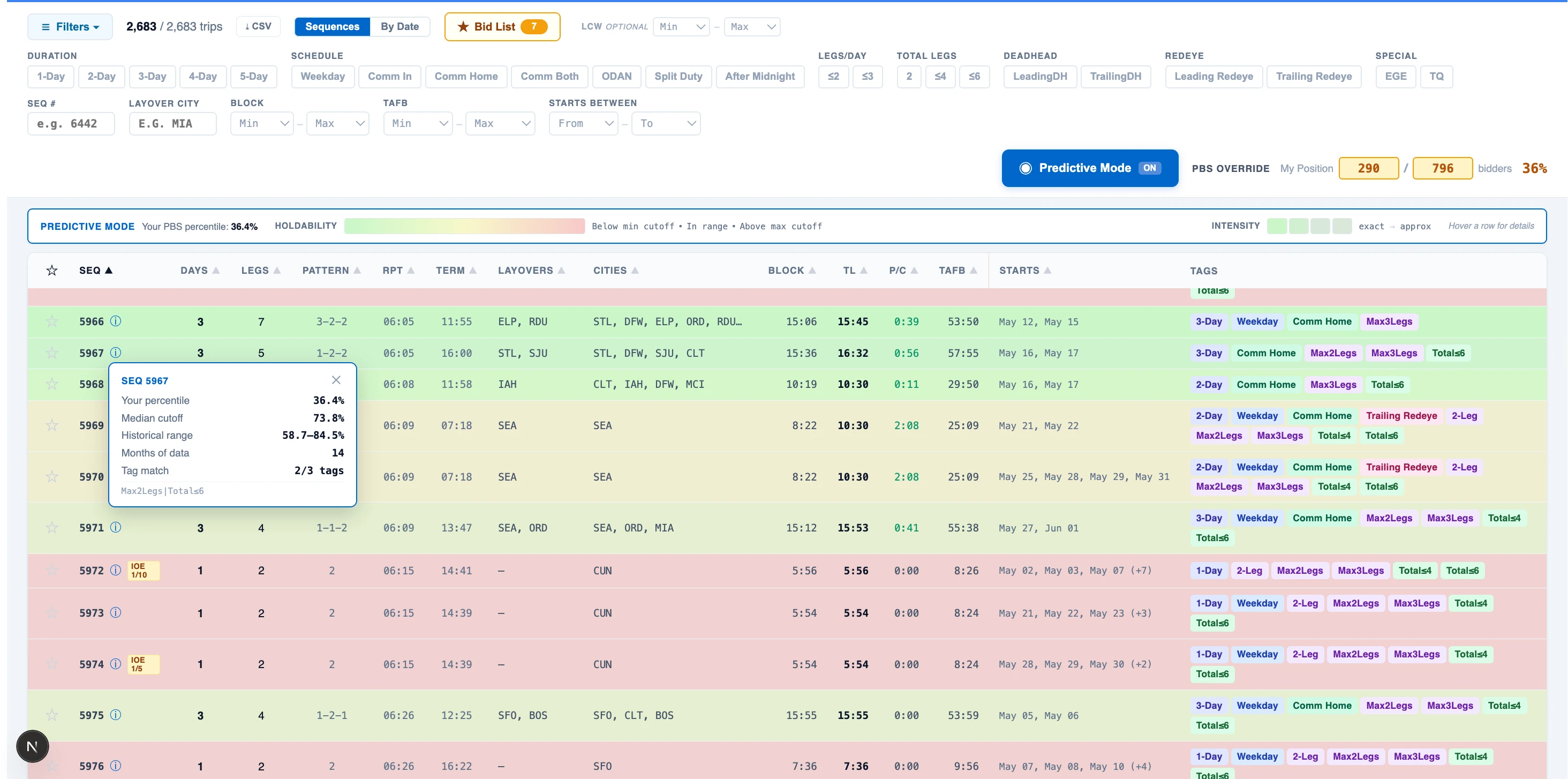
Hover any sequence to see the math: your percentile, the historical cutoff range, and how many months of matching trips back the prediction.
Hover any sequence to see the math: your percentile, the historical cutoff range, and how many months of matching trips back the prediction.
Built from 14 months of real bid awards (over 595,000 sequences), then tested against the awards that came in afterward.
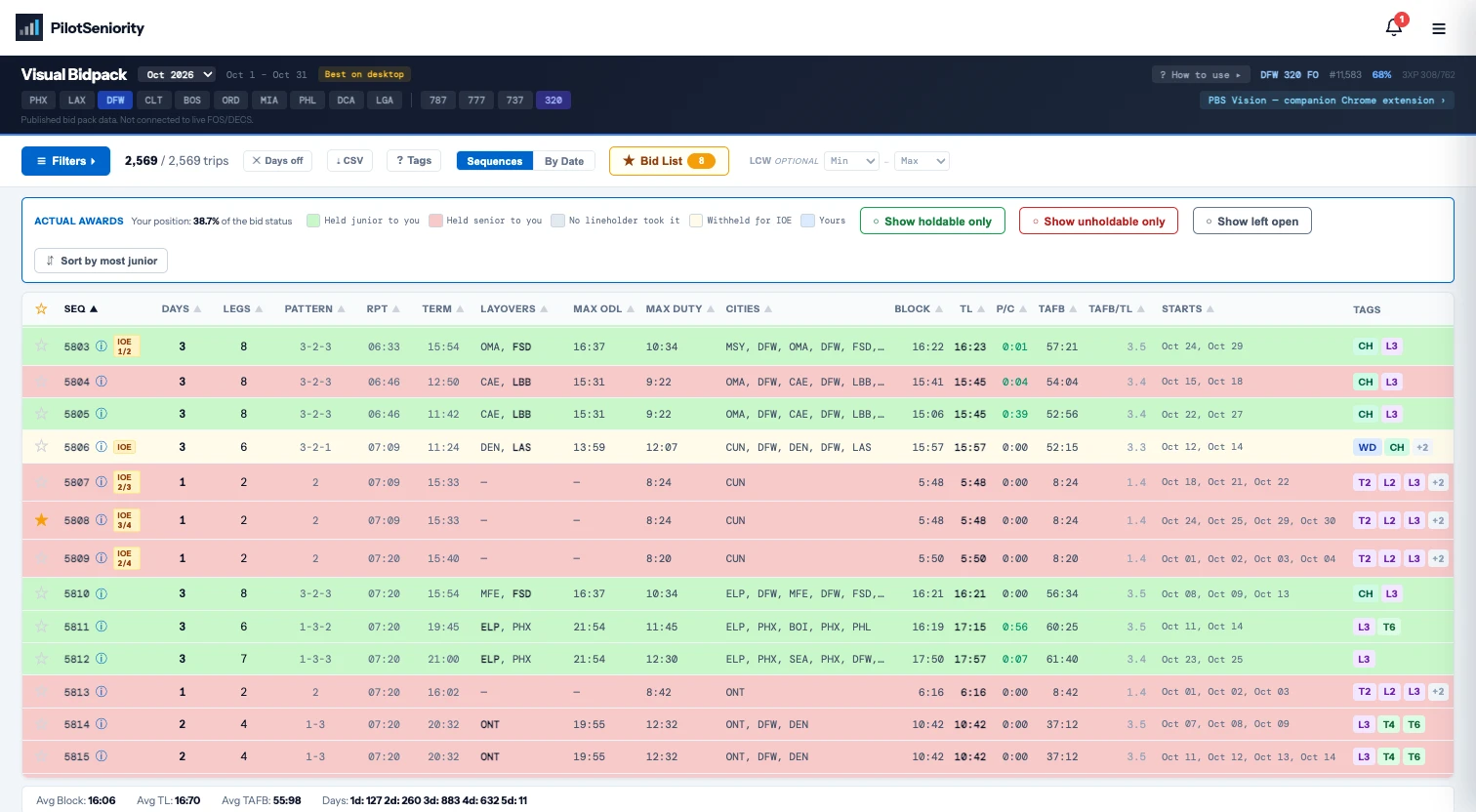
Actual Awards picks up where Predictive Mode leaves off. Once a bid month's awards post, every trip is colored by where it landed: green if you could have held it, red if it went senior to you, gray if PBS left it open.
Actual Awards picks up where Predictive Mode leaves off. Once a bid month's awards post, every trip is colored by where it landed: green if you could have held it, red if it went senior to you, gray if PBS left it open.
Click any trip for the exact percentage where it was taken. Filter to holdable only, unholdable only, or left open.
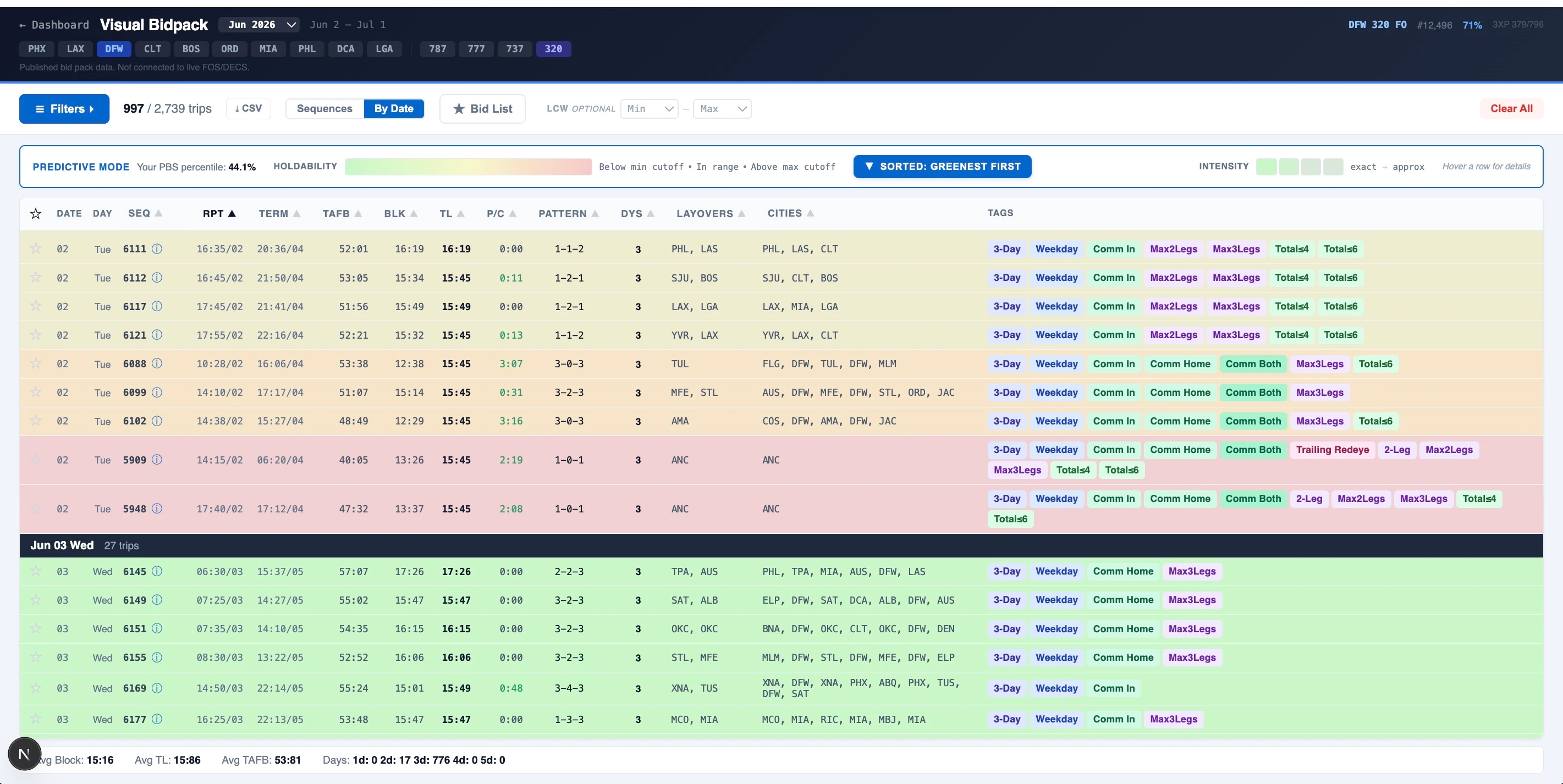
Test drive any base, any seat. Enter your bidding position, scroll to a date, and see exactly what trips you are able to hold on any given day in that seat.
Test drive any base, any seat. Enter your bidding position, scroll to a date, and see exactly what trips you are able to hold on any given day in that seat.
Same predictive engine, switched to any base, fleet, and seat you're qualified for.
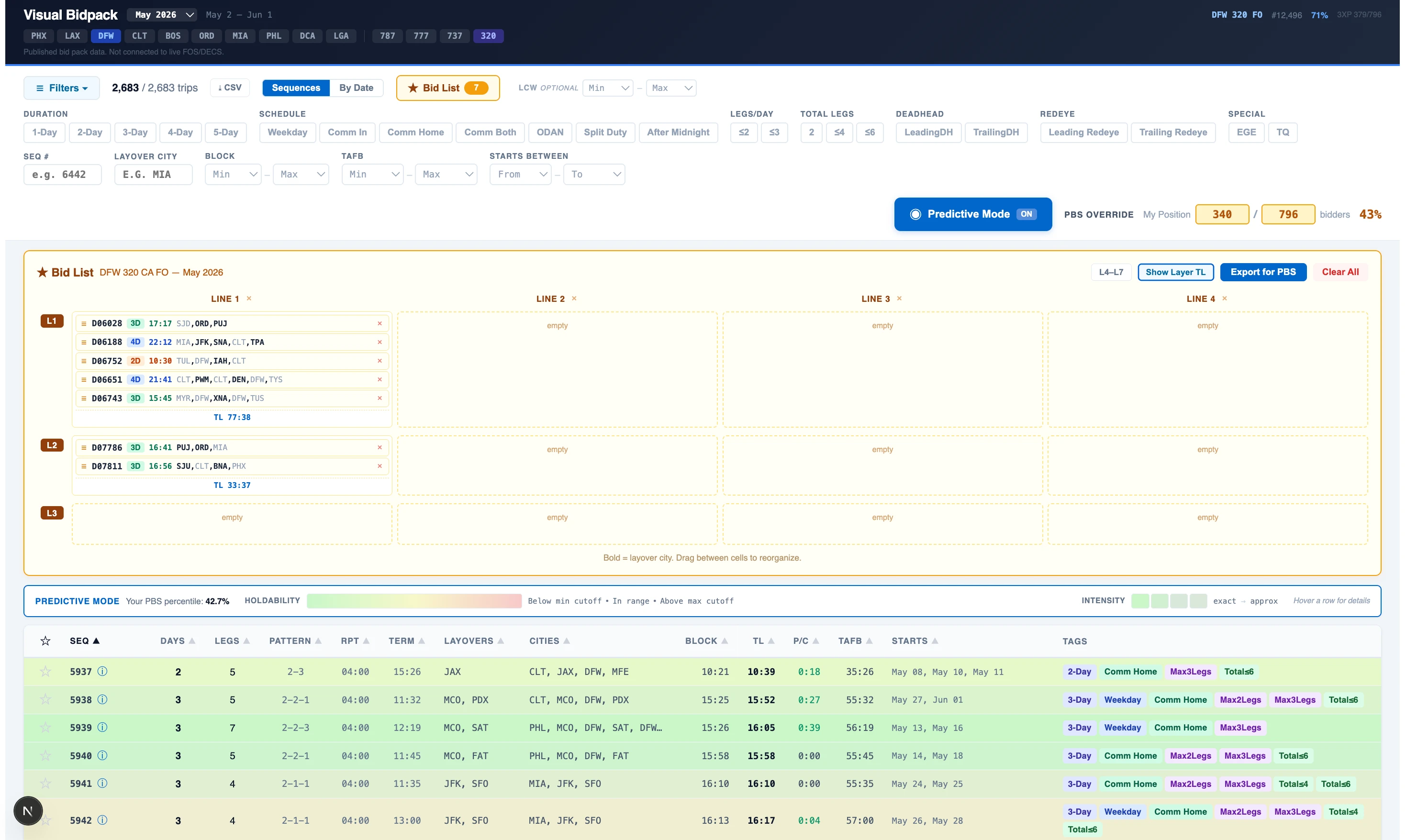
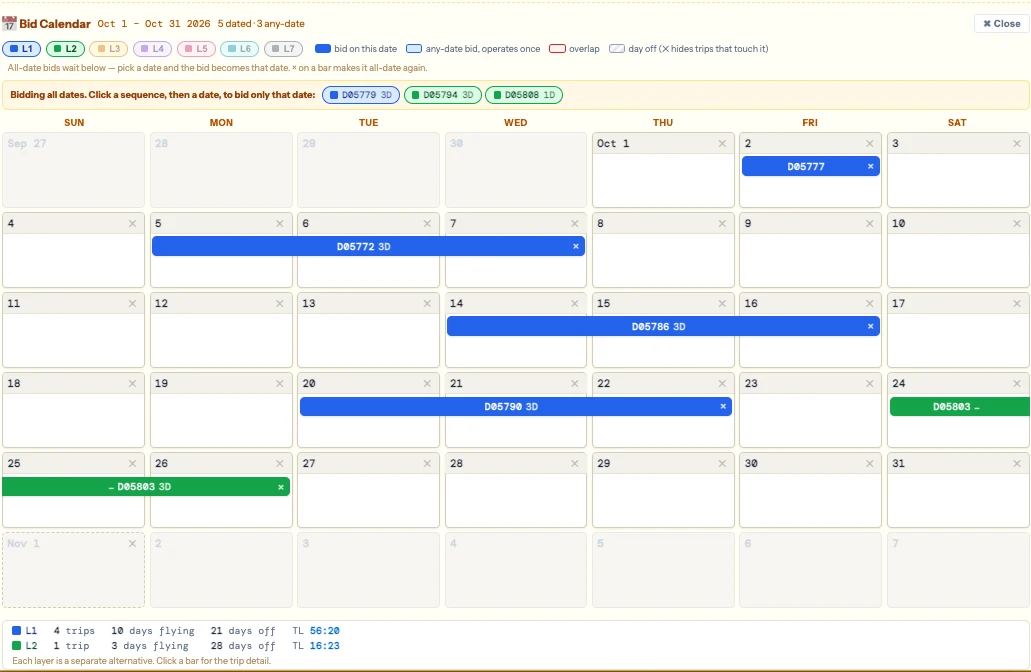
Save your favorite trips to a customized "Bid List" - organize them by layers, check totals, then export a file to have on hand when bidding in PBS.
Save your favorite trips to a customized "Bid List" - organize them by layers, check totals, then export a file to have on hand when bidding in PBS.
Build your bid across 7 PBS layers. Drag to reorder, validate TL, export a reference file for bidding.
PilotSeniority Pro
$6.99/mo or $69/yr · Cancel anytime.
Pro Snapshot, Visual Bidpack, Base Intel, Line Intel, plus two custom briefings delivered to your inbox every month.
See pricing PilotSeniority